After hearing Synology’s talk at CP+ 2025, I took another look at how I use my own NAS. A NAS isn’t only for storing and backing up data — it’s a tool you can shape to fit the way you work.
My setup: a Synology DS1621+ with six 8TB HDDs
I use a Synology DS1621+(opens in a new tab). The main unit holds six HDDs, and with expansion units it can take up to 16. I have six 8TB HDDs(opens in a new tab) in it, set up with Synology Hybrid RAID (SHR). In practice it works much like a typical RAID 5.
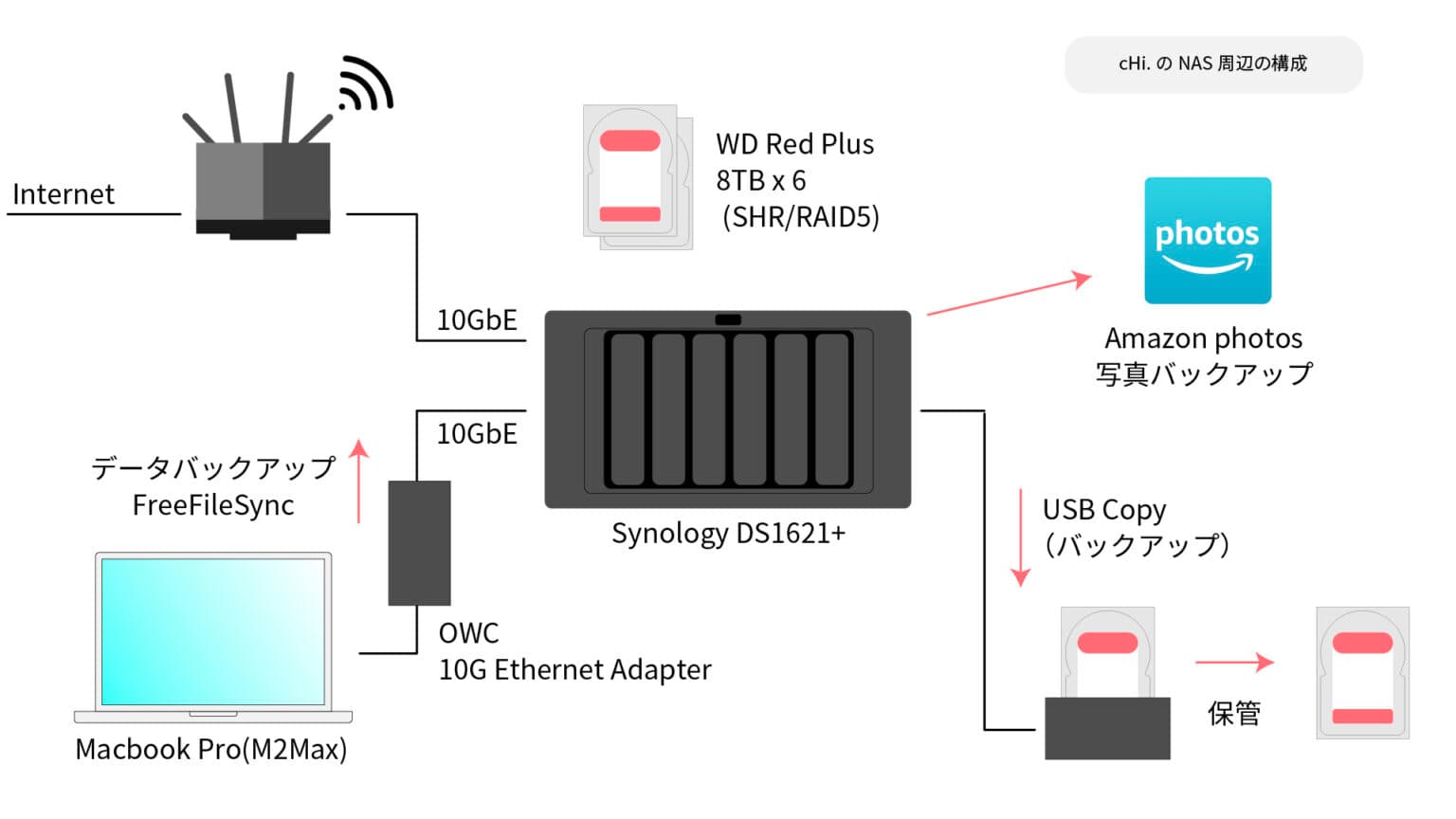
My MacBook Pro connects to it over 10GbE. I added a 10GbE expansion card to the DS1621+, so transfers go directly over a wired connection. Even large files move without any frustration.
My backups are simple. I connect HDDs I used to use over USB and back up each year to them, and I also send my photos to Amazon Photos.
A homemade dashboard that shows how much data I shoot and how many shots
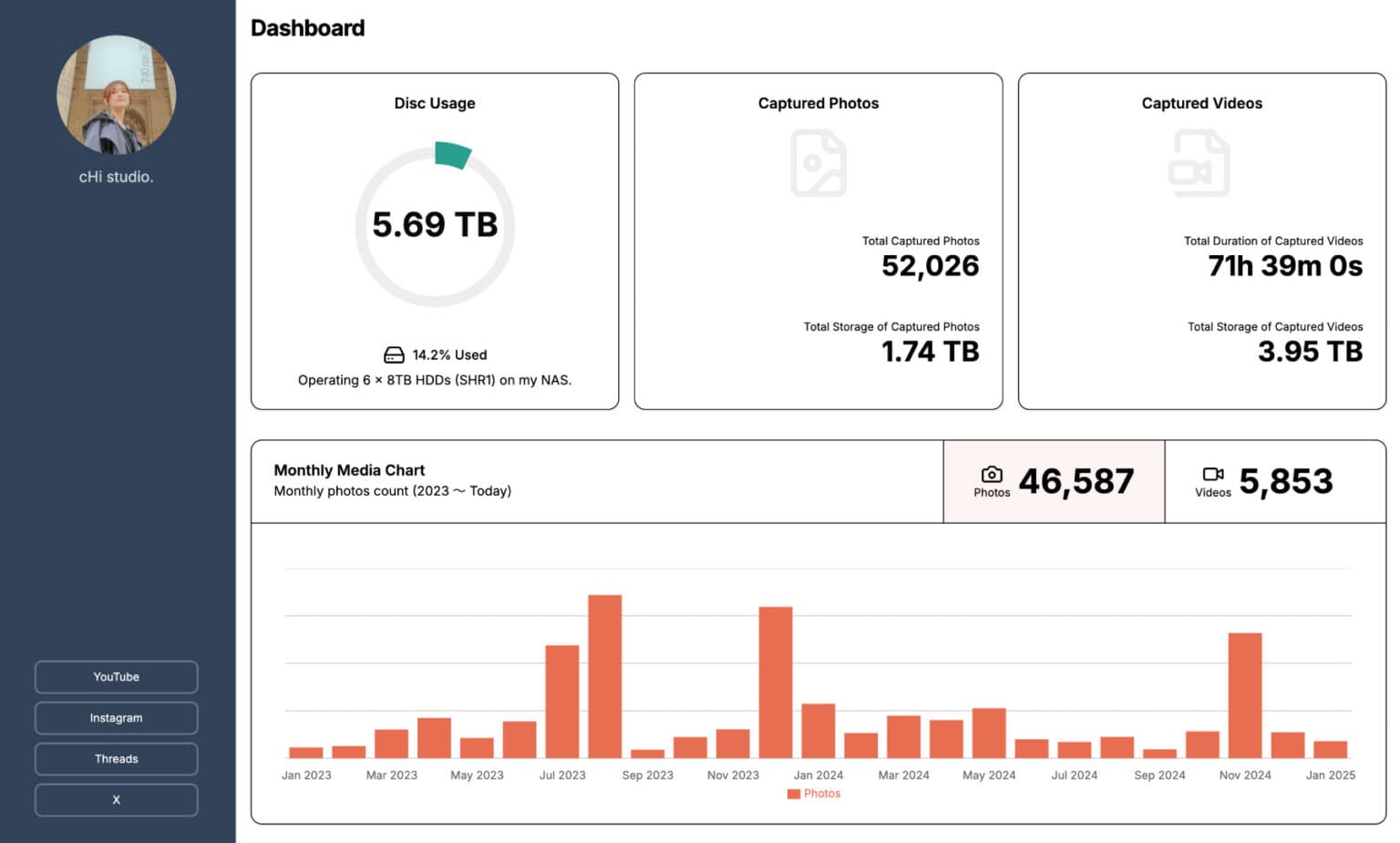
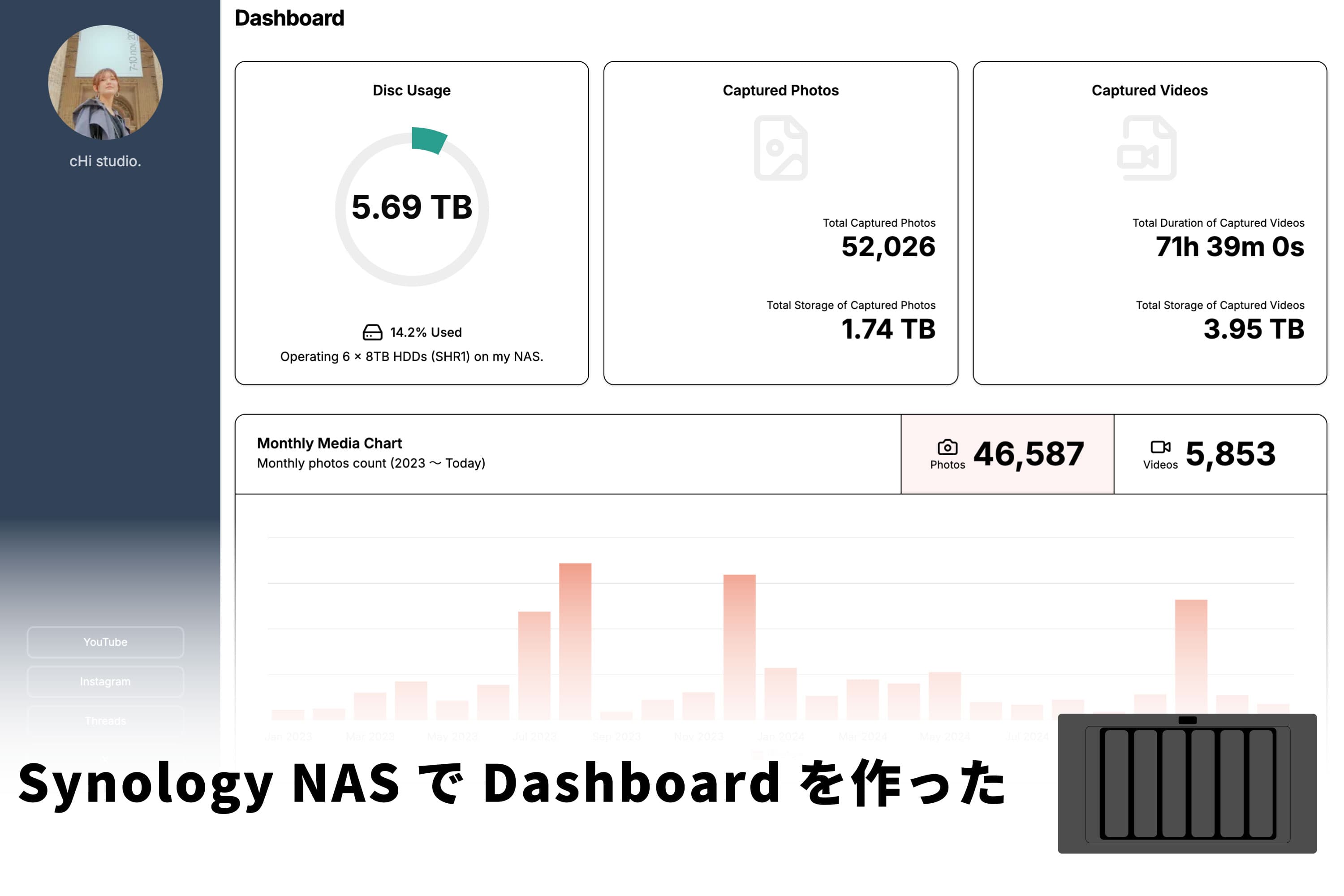
The amount of data I’ve shot, my YouTube subscriber count, my social media followers. When I can see the numbers going up, the effort feels real. Photo and video data is saved to my NAS every day, so I built a dashboard that shows how that amount grows.
It shows the total size of what I’ve shot and the number of photos, along with the total running time and number of video files. Looking back by month or by week, I can tell which weeks I worked hard and which weeks I barely shot anything.
How the dashboard works: a program running on the NAS
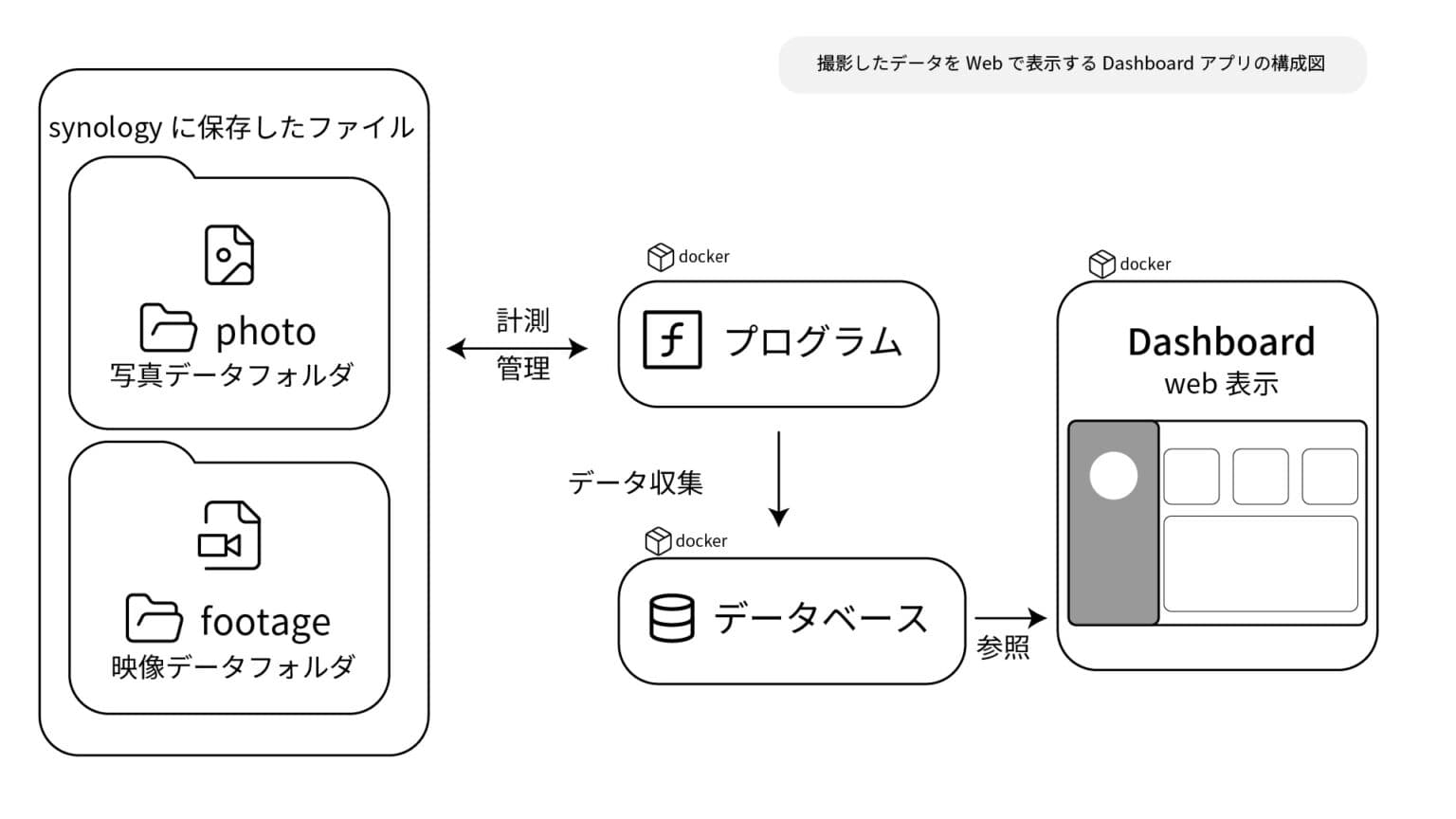
I can’t program, so a relative who built the chi-studio. website made it for me and explained how it works. A Synology NAS can run programs you write yourself, so you can use it like a server. Roughly, it works like this:
- A program watches the photo and video data stored on the NAS and runs on a regular schedule
- The totals it collects go into a database
- The dashboard (a web app) pulls the values from the database and displays them
The program runs on the NAS, and I can check the dashboard whenever I’m at home, where the NAS is. Watching the numbers update is fun, and so far it has even kept me positive about backups, which I tend to put off.
Folder organization: photos by “year-month-day,” videos by “day_project name”
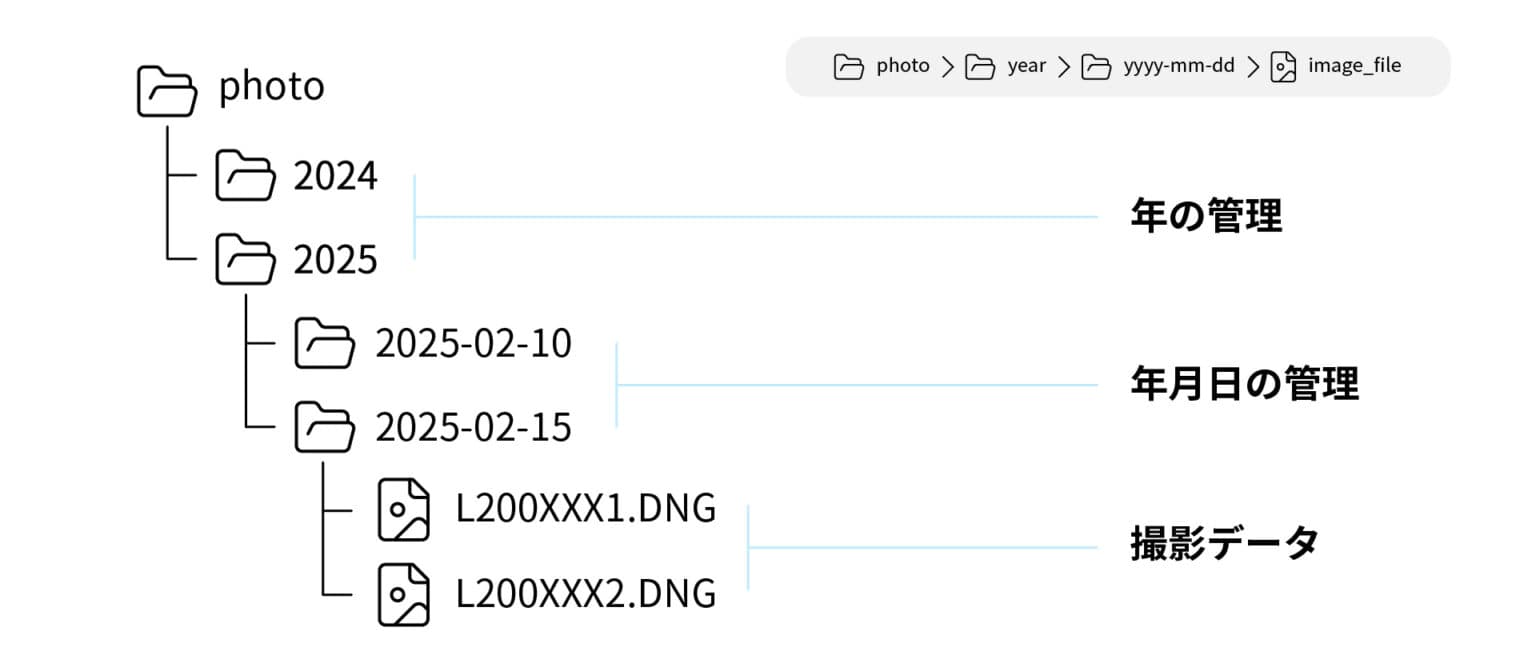
I manage my photos with Lightroom and Capture One catalogs, so I save them in folders structured as “/year/year-month-day/”.
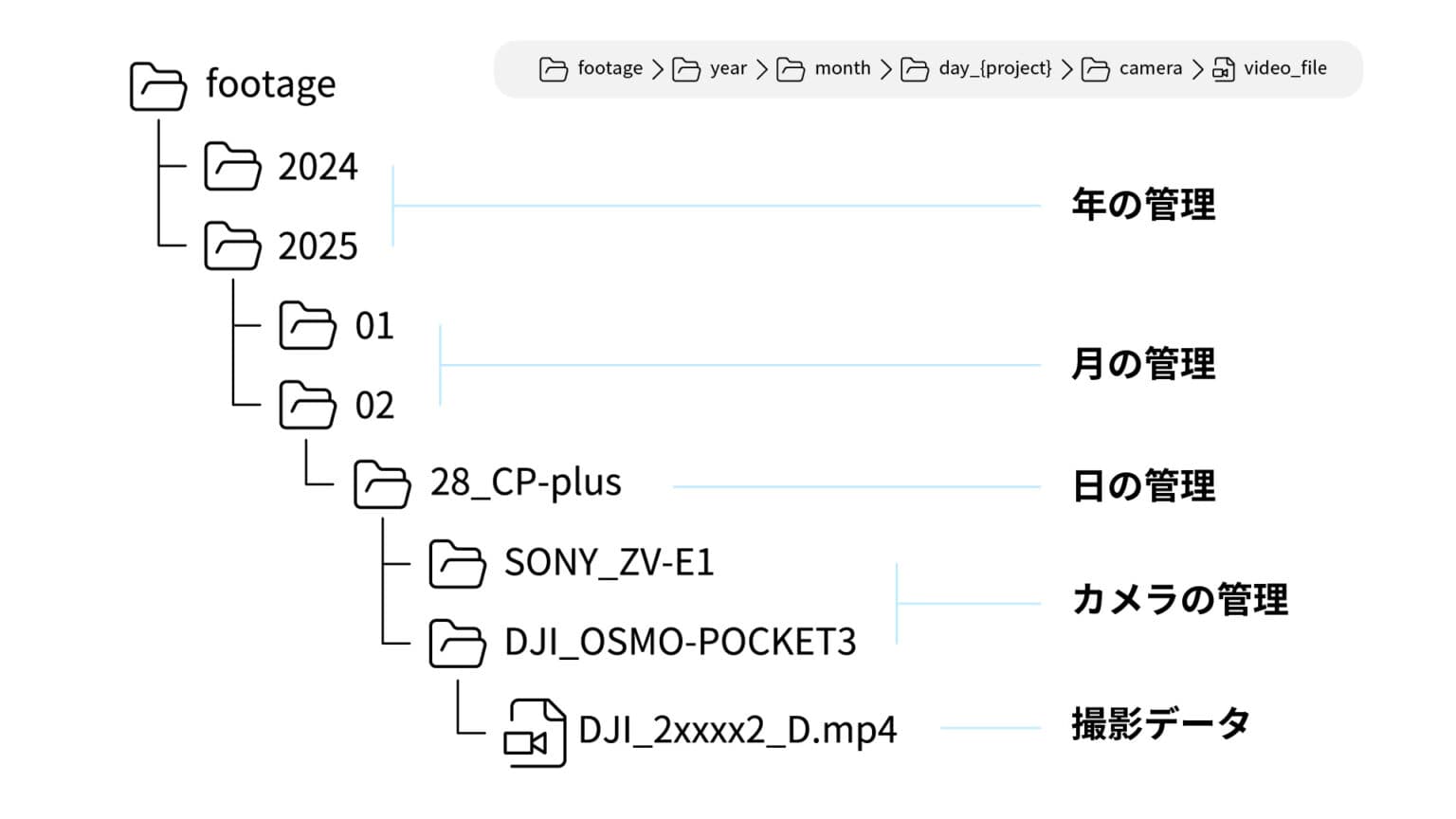
Most of my video is for YouTube shoots, so it goes in “/year/month/day_project name/camera name.” Video files are large, so I split them by project to make backups easier. I also split them by camera so I never lose track of which camera shot what.
It’s been about a month since I built the dashboard. There are still features I’d like to add, such as linking it with the website, weekly reports, and showing data from my YouTube shoots. Someday I’ll write a post about how it works in more detail.